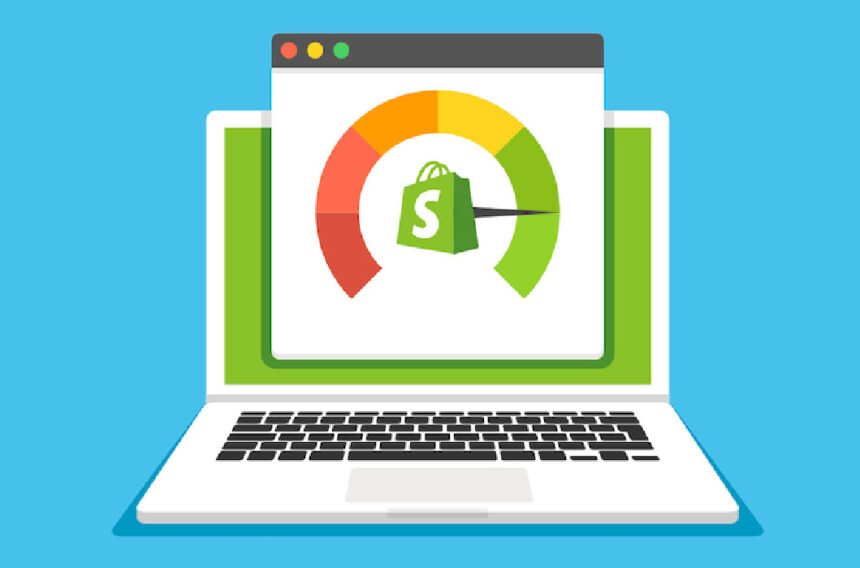
In the fast-paced world of e-commerce, the speed of your Shopify store is not just a luxury but a necessity. Faster load times mean better user experience, higher SEO rankings, and increased conversion rates. A sluggish store, on the other hand, can lead to frustrated customers, abandoned carts, and lost revenue. That’s why speed optimization should be a top priority for every Shopify store owner.
This guide prepared by Shopify Plus development agency will provide you with a step-by-step approach to optimize your Shopify store’s performance, from image optimization to refining the code and managing third-party apps. Let’s dive in and ensure your store delivers a lightning-fast experience for every visitor.
- Image Optimization: Speeding Up Visual Content
Reduce Image File Sizes
High-resolution images can significantly slow down your store. Compressing them without sacrificing quality is crucial. Use tools like TinyPNG, or leverage Shopify’s built-in image compression features to make sure your images are lightweight and load quickly.
Choose the Right Format
For product images, JPEG is usually the best choice for balance between quality and file size. PNG is ideal for images that require transparency, while WebP is a newer format that offers excellent compression without compromising quality.
Responsive Image Handling
Ensure that your images automatically adjust to various screen sizes, especially for mobile users. This not only improves user experience but also reduces the load time by serving appropriately sized images based on the user’s device.
- Optimizing Apps and Scripts
Audit Your Apps
Too many apps can clutter your store with unnecessary code and slow things down. Periodically review your installed apps and remove the ones you no longer need or use.
Select Lightweight Apps
Choose apps that are optimized for performance and avoid those that rely on heavy external scripts. A leaner app selection directly translates to faster load times.
Defer Non-Essential Scripts
Not all scripts need to load immediately. Prioritize essential ones and defer the rest to enhance your store’s initial page load speed.
- Choosing the Right Theme and Refined Code
Pick a Speed-Optimized Theme
When selecting a theme, go for options like Shopify’s Dawn or Turbo, which are specifically designed for performance. Avoid themes with too many animations or unnecessary features that can hinder loading times.
Minify CSS and JavaScript
Reducing the size of your CSS and JavaScript files can have a big impact on your store’s speed. Use tools or Shopify apps like “PageSpeed Optimizer” to automate the minification process.
Optimize Liquid Code
Efficient Liquid code is key to a fast Shopify store. Review your custom code to ensure it is streamlined, eliminating unnecessary loops and taking advantage of Shopify’s caching features.
- Boost Performance with Browser Caching and Lazy Loading
Activate Browser Caching
Enable browser caching so that returning customers don’t have to re-download resources like images and scripts. This helps reduce load times for repeat visitors.
Enable Lazy Loading
Lazy loading allows your images and videos to load only when they appear on the screen, improving your initial page load times and saving bandwidth.
- Leverage a Content Delivery Network (CDN)
Shopify offers a built-in CDN, which distributes content to users globally, reducing the time it takes to load resources. Ensure this feature is enabled to optimize performance for visitors, regardless of their location.
- Streamline Redirects and Fix Broken Links
Excessive redirects or broken links can slow down page load times. Regularly check for and remove unnecessary redirects, and fix any broken links to ensure seamless navigation for users.
- Optimize Third-Party Integrations
Fast Payment Gateways
Using Shopify Payments rather than third-party gateways can help speed up the checkout process, improving store performance and conversion rates.
Limit Social Media Widgets
Social media plugins and chatbots can weigh down your site’s performance. Load them asynchronously or limit their use to specific pages to avoid hindering your site’s speed.
Reduce External Font Usage
External fonts can slow down your store. Minimize their use and limit the number of font variations to speed up your site.
- Accelerated Mobile Pages (AMP) for Faster Mobile Experience
AMP simplifies your store’s HTML and CSS, ensuring faster loading times for mobile users. Shopify apps can help you integrate AMP into your mobile store, making it more mobile-friendly.
- Regular Performance Monitoring
Monitor your store’s speed regularly to keep track of any performance issues. Tools like Google PageSpeed Insights, GTmetrix, and Shopify’s native speed reports offer valuable insights to help identify areas for improvement.
Conclusion: Speed Optimization Is a Continuous Journey
Optimizing the speed of your Shopify store isn’t a one-time task—it’s an ongoing process. Every small adjustment you make, whether it’s optimizing images, refining code, or carefully managing apps, can have a profound impact on your store’s performance. Faster load times lead to better SEO, higher conversion rates, and happier customers.
If you need expert assistance with optimizing your store for peak performance, our Shopify Plus eCommerce agency is here to help. We provide comprehensive audits and performance optimization services to ensure your store runs as smoothly and efficiently as possible.
For More Information Visit Timelymagazine